¶ Installation steps
¶ 1.Log in to the non-China App Store and download Shadowrocket
Please identify the little rocket icon. If it is different, it is fake. Do not download it.
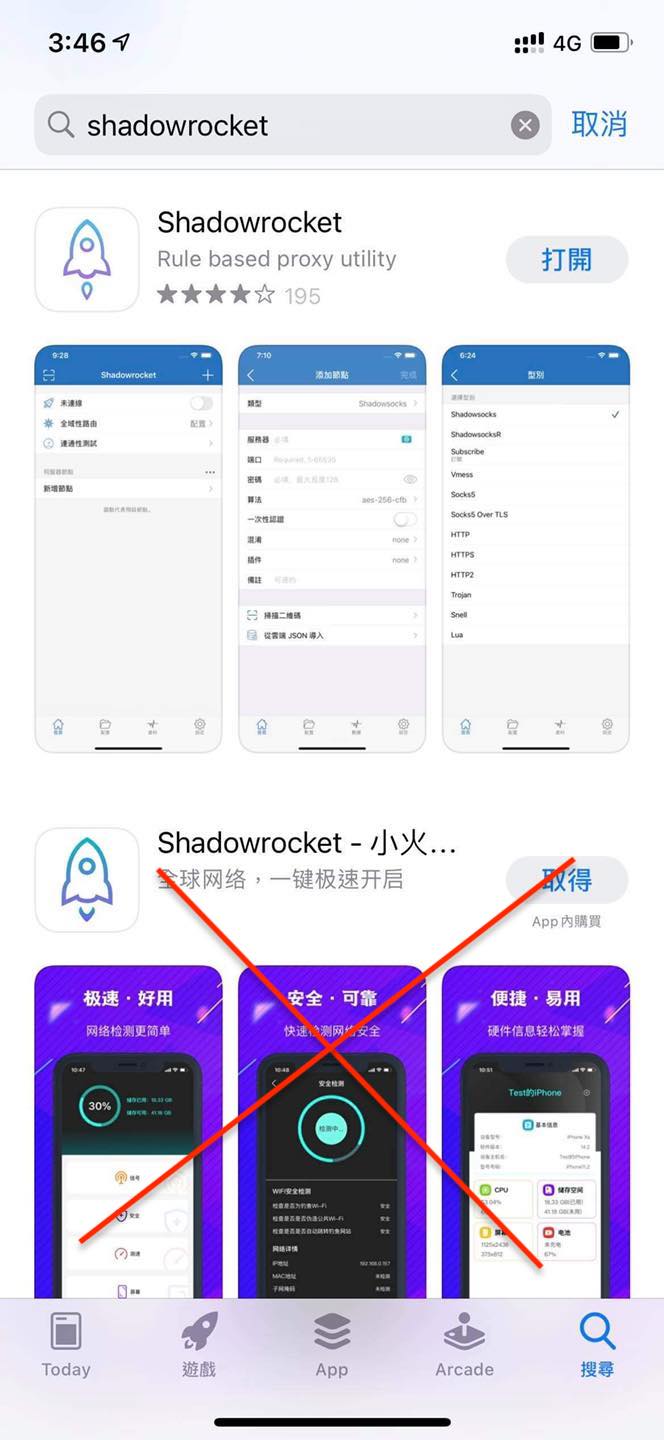
Please pay for the Shadowrocket by yourself
Or purchase an Apple account with in-app purchase of Little Rocket App
(Accounts are not sold by Deer . If you have any questions, please contact the merchant’s customer service. There are also other Apple account merchants online, so please compare by yourself)
Tutorial on switching Apple account
¶ 2. Set up subscription
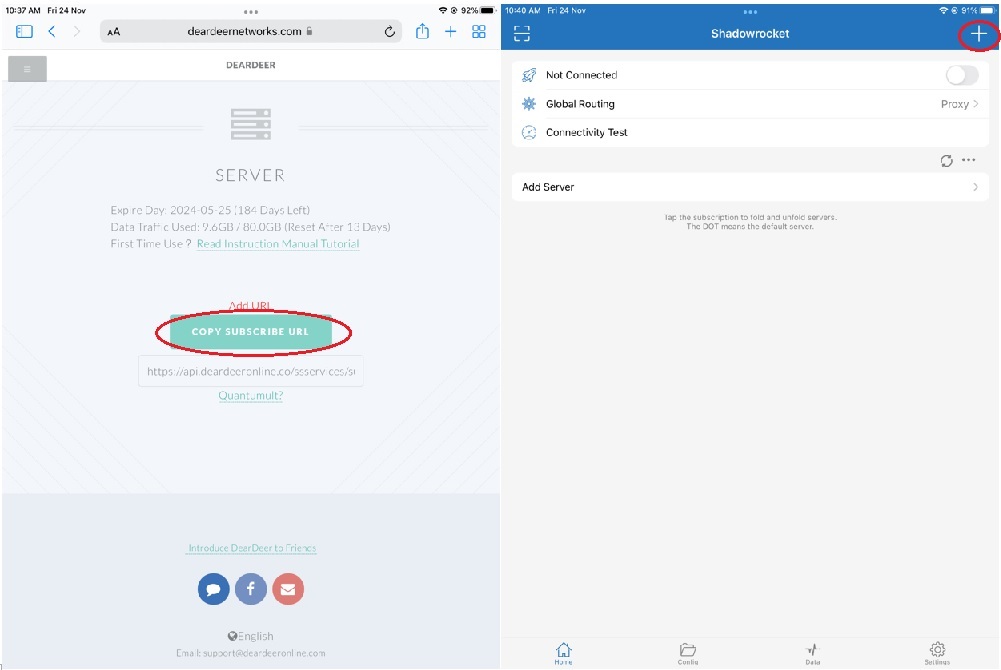
2-0. Open the Deer Network webpage, enter the service list, and click "COPY SUBSCRIBE URL"
2-1. Click to enter Shadowrocket App
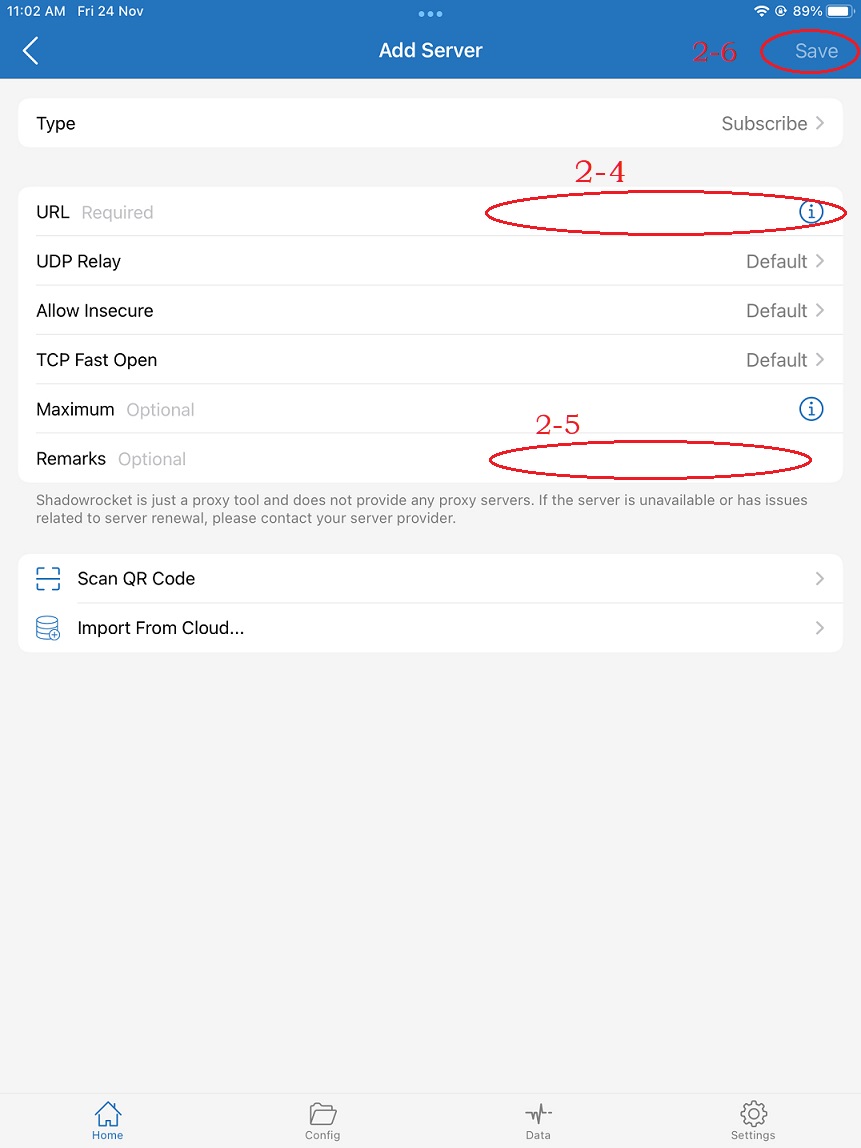
2-2. Click the "+" in the upper right corner
2-3. Click Type→Select [Subscripe]
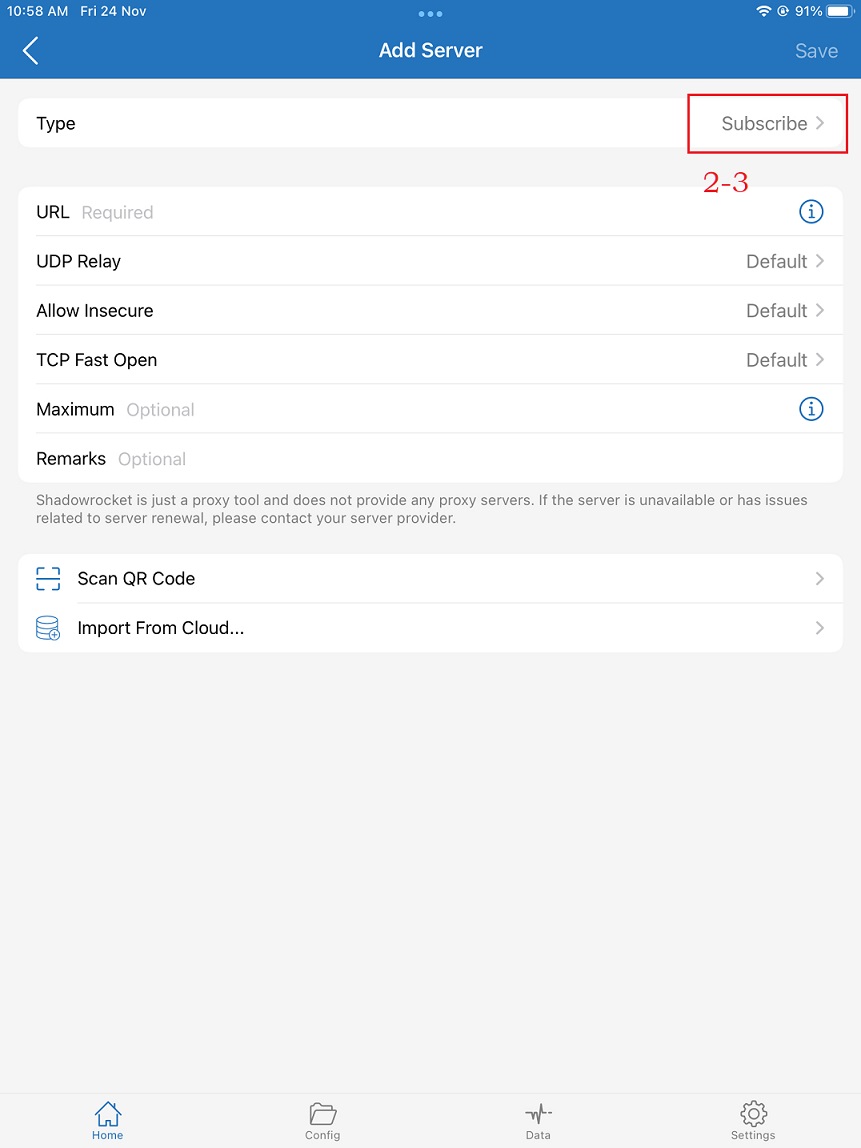
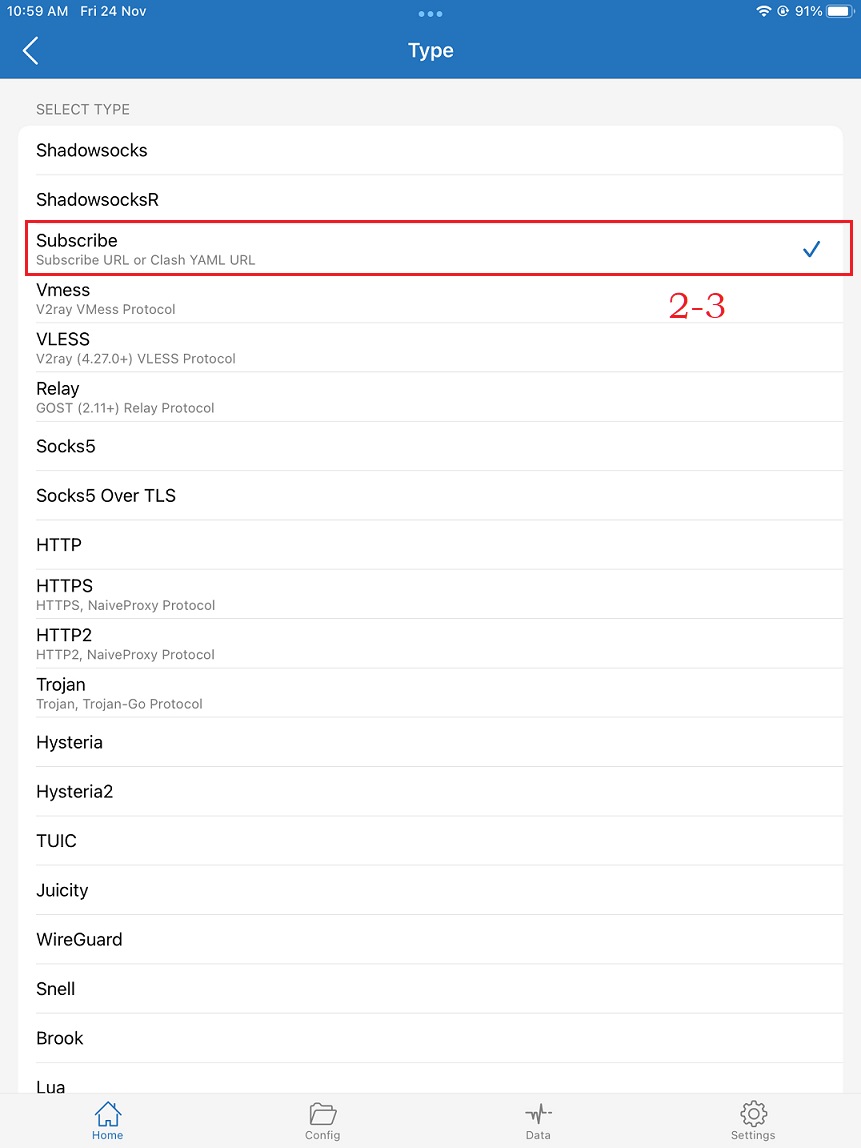
2-4. Paste the URL at the URL
2-5. Remarks fill in deer
2-6. Click [Save]
¶ 3. Start using
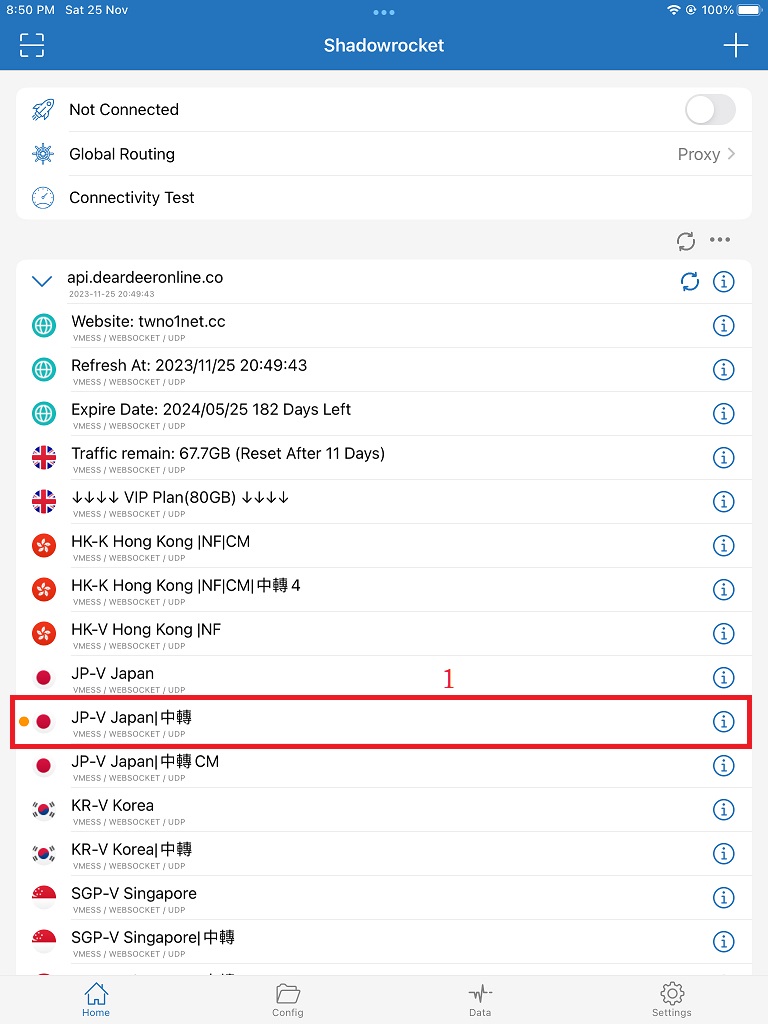
3-1. Click on the line below
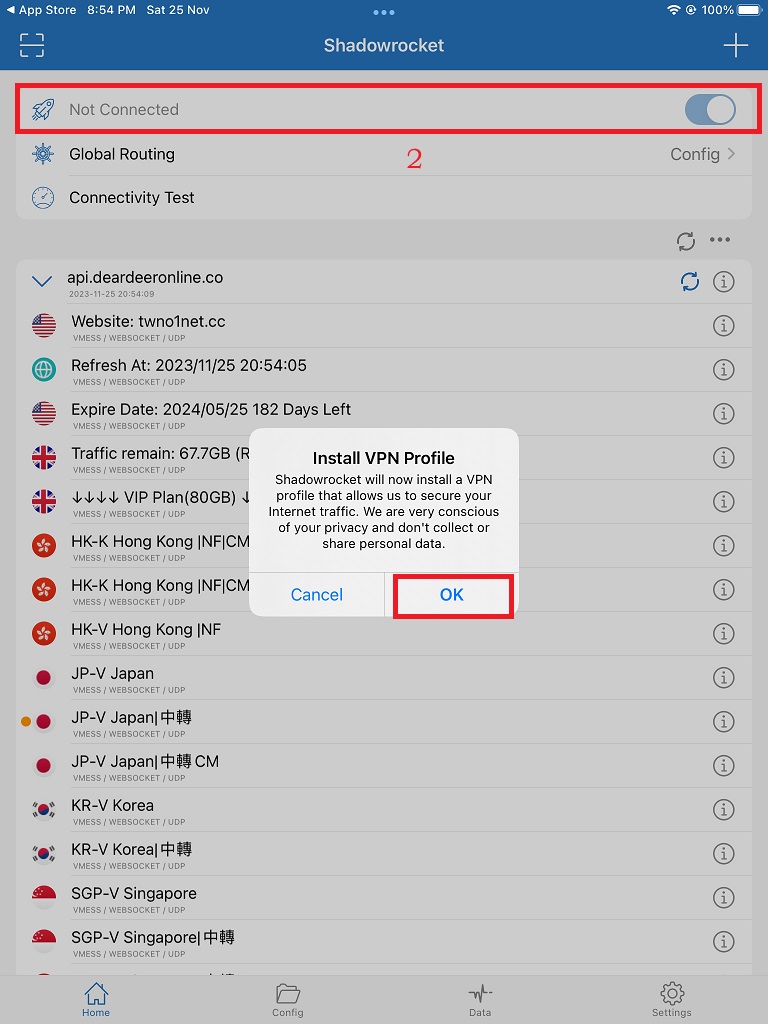
3-2. Slide the connection slider to the top and slide to the right to [Connected]
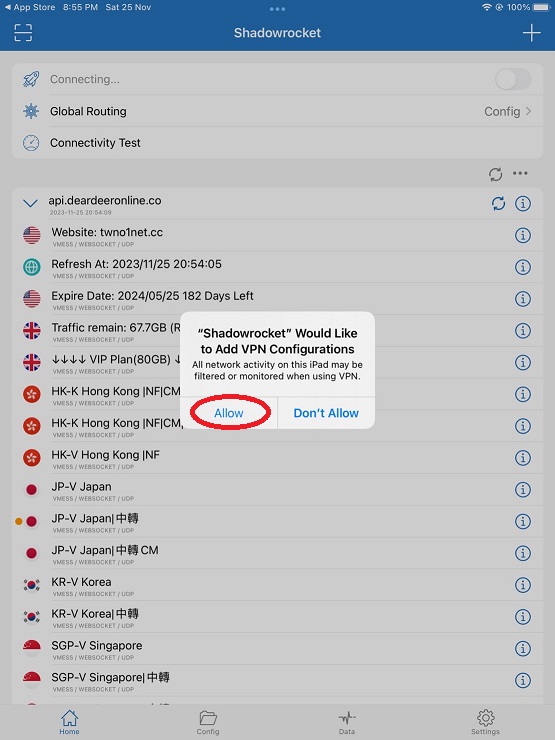
When you use it for the first time, it will pop up to add VPN configuration. Please press Allow to provide permissions.
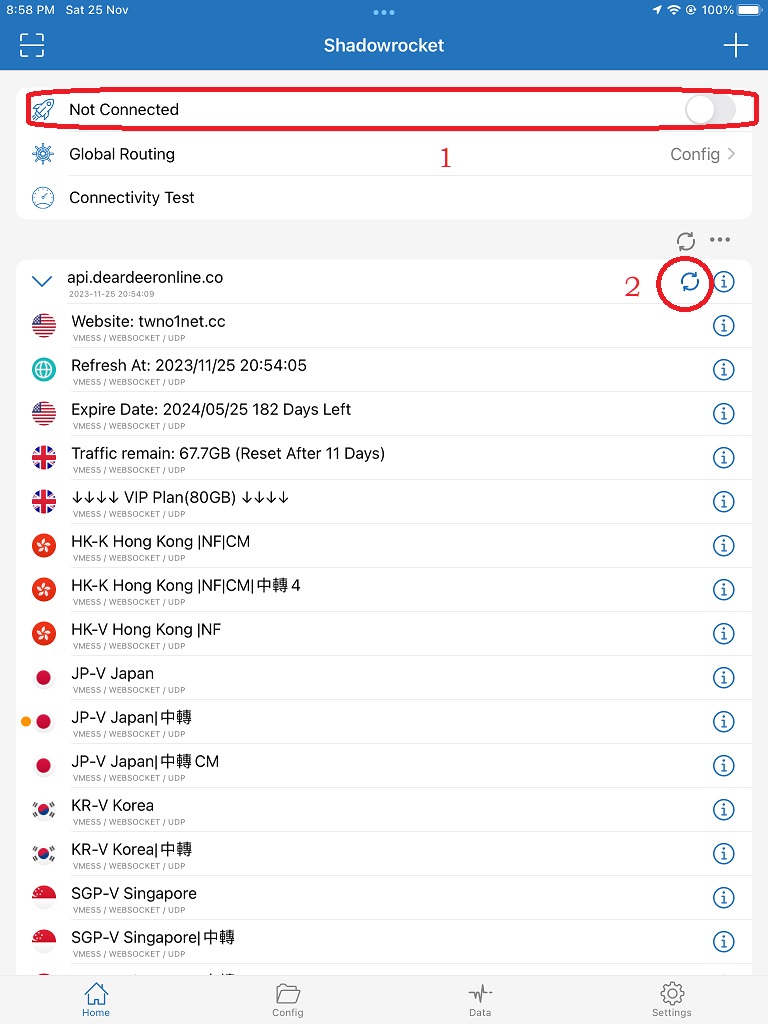
¶ 4. Refresh subscription
4-1. Slide the upper connection slider to unconnected
4-2. Click the [Refresh] button to the right of the name
¶ 5. Congratulations on the completion, please click Like on the Deer fan group to not miss the latest news!
¶ Frequently Asked Questions Q&A
iPhone client installation and usage issues